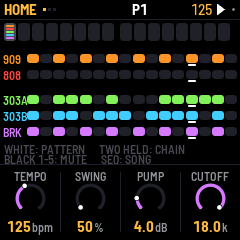
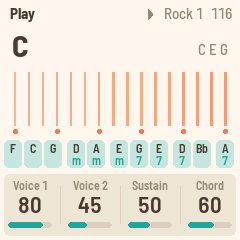
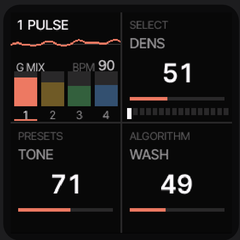
The M-Vave FM-1 and the SMK-37 run the same JieLi AC791N chip, the same boot chain and the same
update loader. Only the panel is wired differently. So every open FM-1 firmware can run on the
bigger keyboard, once it learns the new panel: a thin board layer adds the keys, pads, faders,
wheels, LEDs and flash map.
// the lineup · install from the browser
Pick a firmware. Press install.
Each port keeps its sound and workflow, but utilizes the extra hardware.
Connect the SMK-37 by USB, open this page in Chrome or Edge, and switch firmwares in about a minute.
Not connectedUse Chrome or Edge. Plug the SMK-37 into this computer, then press Connect.
The same firmware under another model name. Pick your keyboard's own model (an Elite running an older build here
reports SMK-37 Pro), so M-Vave's updater accepts its factory firmware again. Starrykey 37 Play: use SMK-37 Pro.
The same firmware under another model name. Pick your keyboard's own model (an Elite running an older build here
reports SMK-37 Pro), so M-Vave's updater accepts its factory firmware again. Starrykey 37 Play: use SMK-37 Pro.
The same firmware under another model name. Pick your keyboard's own model (an Elite running an older build here
reports SMK-37 Pro), so M-Vave's updater accepts its factory firmware again. Starrykey 37 Play: use SMK-37 Pro.
The same firmware under another model name. Pick your keyboard's own model (an Elite running an older build here
reports SMK-37 Pro), so M-Vave's updater accepts its factory firmware again. Starrykey 37 Play: use SMK-37 Pro.
The same firmware under another model name. Pick your keyboard's own model (an Elite running an older build here
reports SMK-37 Pro), so M-Vave's updater accepts its factory firmware again. Starrykey 37 Play: use SMK-37 Pro.
The same firmware under another model name. Pick your keyboard's own model (an Elite running an older build here
reports SMK-37 Pro), so M-Vave's updater accepts its factory firmware again. Starrykey 37 Play: use SMK-37 Pro.
Unofficial firmware, at your own risk. Do not unplug the keyboard while it writes; an interrupted
install resumes when you press Install again.
Back to the M-Vave firmware
Our firmwares keep your keyboard's model name, so M-Vave's own updater, M-UPGRADE, works directly.
If your keyboard runs another firmware that M-UPGRADE refuses:
Your keyboard's calibration and pairing are never touched. Afterwards, M-UPGRADE should also work again if you need it.
// installing
Installing
Connect
Verify
Update mode
Write
Restart
Done
Starting
Log
// fm1-to-smk37
Port your firmware.
The port guide walks an FM-1 firmware onto the SMK-37 step by step: the board switch,
the input and LED layer, the flash map, the update path and the controls. Written so you can follow it with
a coding assistant such as Claude, without any vendor code. The FM-1 build stays byte-identical, so the SMK target can live upstream.